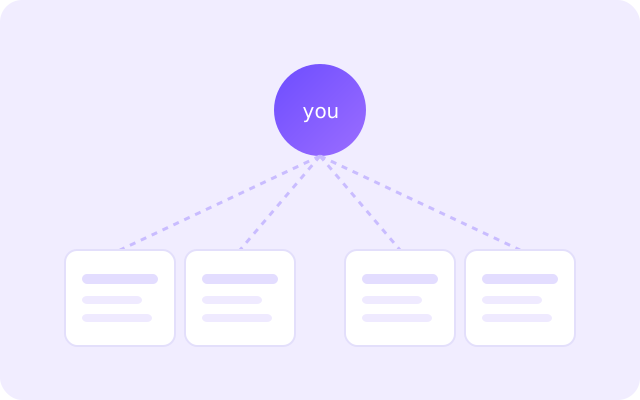
Half the internet seems to want your email before it will give you a PDF. Some of those exchanges are a fair trade and some are a trap, and at the moment you are staring at the form they look the same. The skill is telling them apart quickly and using the right address for each.
The two situations that look the same but are not
Case one: you want the file, and you will never think about the sender again. A checklist, a cheat-sheet, a template. Case two: you want the ongoing relationship — a newsletter whose next issue you genuinely look forward to. Both start with a form, but only one deserves a permanent address.
When a throwaway is exactly right
If you are there for the file and not the follow-up, a disposable address is the correct tool. It gets you the download, satisfies the gate, and absorbs whatever drip campaign follows. When the inbox expires, the thread is cut and your real address was never involved.
- One-off PDFs, templates and cheat-sheets.
- Webinar recordings you will watch once.
- Contests and giveaways you enter casually.
- Coupon codes for a single purchase.
When you actually want the mail
If the newsletter is something you look forward to, do the opposite: subscribe with an address you will keep. A temp inbox is the wrong choice for a subscription you intend to read, because it will expire and you will lose the very thing you wanted. The test is honest and quick: would you be annoyed to miss the next issue? If yes, use a permanent address.
A middle path: alias now, decide later
Uncertain? Start with a disposable address and see whether the first two issues earn your attention. If they do, resubscribe with a real address and unsubscribe the throwaway. If they do not, do nothing — the inbox expires and the decision is made for you. This “try before you subscribe” approach is one of the most practical uses of a temp inbox.
Downloading the file before the inbox goes
A small practical point: some gates email you the download link rather than opening the file directly. Grab the file the moment it arrives rather than saving the email for later, because both the link and the inbox have their own expiry. If a link has already died, requesting it again usually works, as long as the inbox is still alive.
Handled this way, gated downloads stop being a tax on your real inbox. You keep the file, the sender keeps their list, and the only thing that expires is the address you never cared about.
Newsletters that fight back: double opt-in
Many reputable senders use double opt-in: the first form submission triggers a confirmation email, and you are only subscribed once you click the link inside it. A temp inbox handles this fine, but it changes the timing. Click the confirmation promptly, while the inbox is still alive, or the subscription never completes and the sender may treat the address as dead. If you are unsure whether you want the newsletter, the confirmation step is actually a useful pause — it is the moment you can still walk away without being subscribed at all.
Organising the mail you decide to keep
If you do subscribe with a permanent address, a little structure goes a long way. Route newsletters into their own folder so they never compete with messages from people, and unsubscribe from anything you have not opened in a month. The point of using a disposable address for the throwaway cases is precisely so that the mail you keep is the mail you chose — and a clean folder makes that choice visible.
Frequently asked questions
Is it okay to use a temp mail for a gated download?
Yes. If you want the file and not the ongoing relationship, a disposable address is exactly the right tool: it clears the gate and keeps your real inbox out of the follow-up campaign.
Will the download link stop working?
Links can expire just like codes and inboxes. Download the file as soon as the email arrives rather than saving the message for later.
What if the newsletter turns out to be genuinely useful?
Resubscribe with a permanent address you will keep, and let the throwaway one go. Trying before you commit is a sensible use of a temp inbox.
Can I forward mail from a temp inbox?
Offex Mail is built for receiving, which is what downloads and confirmations need. For anything you want to keep or forward, use a permanent address instead.