Instant Temporary Email
that just works.
Generate a private disposable inbox in one click and receive OTPs, verification links and test emails — without giving away your real address or drowning in spam.
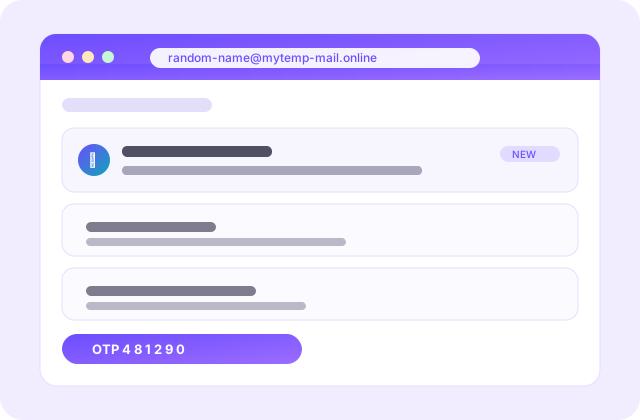
Your Inbox Live
Messages
auto-refresh onUse the address above on any site — mail will land here in seconds.
Why Offex Mail?
Everything in one place — fast, private and on our own domain.
Instant & Free
An address ready in one click. No signup, no password, no hidden charges.
Sound Alert
A loud chime the moment mail arrives — you'll know instantly, even in another tab.
Private by design
Your real email is never exposed. Inbox gone — data gone too.
Own Domain
These inboxes run on our own domain mytemp-mail.online — real, deliverable addresses.
Light & Dark
Clean white by default, dark mode in one tap.
History
Every inbox you create is saved — switch back to it anytime.
How to use it?
Three simple steps — 10 seconds.
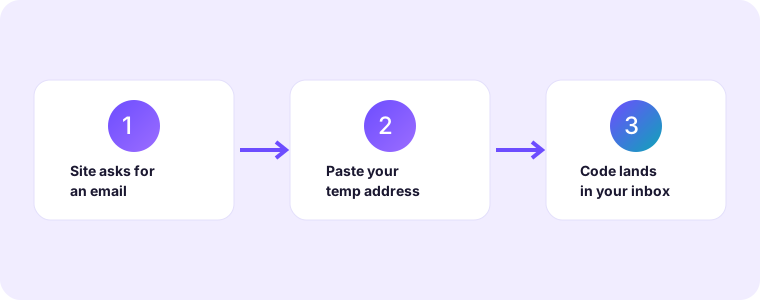
Create an address
Generate a random one or type your own name. You get a live address instantly.
Copy & use it
Paste it wherever you need an OTP or verification — just like your own email.
Receive mail
Mail arrives with a chime and shows up here. Open, read, copy the OTP — done!
Temp Mail for ElevenLabs (11Labs) — Free Disposable Email
Signing up for ElevenLabs asks for email verification. You don't need to give your real email — get a temporary address here, paste it on ElevenLabs, and the OTP / verification link will arrive here within seconds. Free, instant, no signup.
1. Get an address
Tap "Create inbox" below — you'll get a private address instantly.
2. Use it on ElevenLabs
Paste this address in the signup form (in place of your real email).
3. Get your code
The verification mail / OTP will arrive here — the OTP is auto-detected and shown too.
Temp mail for your favourite services
Pick a service and get a free disposable inbox built for its signup — 40+ step-by-step guides, all free, no signup.
Read in your language
Every guide is available in 10 languages.
FAQ
Straight answers.
Is it really free?
How do I turn off the sound?
How long does an inbox last?
Can I pick my own name?
Can I change the language or theme?
Is temp mail safe to use?
Can I receive OTPs and verification codes?
Do you read or store my emails?
What is a temporary email address?
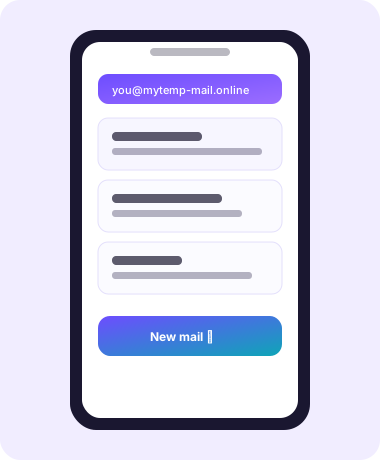
A temporary email address — also called a temp mail, disposable email, throwaway email or burner inbox — is a working email address you can use immediately and then throw away. It is not tied to your name, your phone number or an account you have to maintain. You open Offex Mail, an address is generated for you on the spot, and you can start receiving mail at it within seconds. When you are done you close the tab, and the inbox and everything in it disappears on its own.
Every address here runs on Offex Mail's own domain, mytemp-mail.online, so what you get is a real, deliverable mailbox rather than something that merely looks like an email address. That matters more than it sounds: many websites quietly reject obvious throwaway domains, and a real domain that accepts mail passes those checks far more often.
How a disposable inbox works under the hood
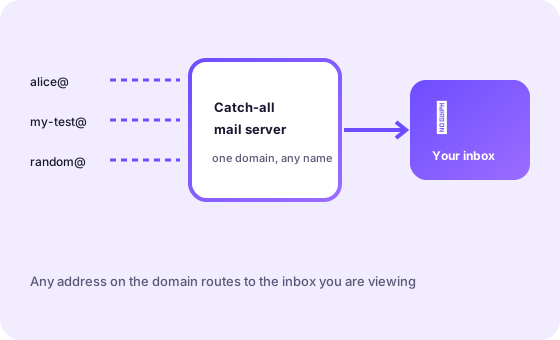
A temp mail service is really a mail server with a catch-all rule. Instead of one mailbox per person, the server accepts mail for any address on its domain — [email protected], [email protected] and so on — and routes it to the inbox you are viewing. The moment a message arrives the page is told about it and the message appears, usually within a couple of seconds. Nothing is installed and there is no password to remember, because there is no account to log into.
When an inbox expires, its messages are deleted. That short lifetime is the whole point: a disposable address is meant to be useful for minutes, not years.
When should you use a temp mail?
A temporary inbox is the right tool whenever a site wants an email address but you do not want a lasting relationship with that site. Typical cases:
- One-off signups and free trials. Try a service, a template pack or an AI tool without handing over the address your friends and bank use.
- Gated downloads. When a PDF, cheat-sheet or webinar only unlocks after you "enter your email", a throwaway address gets you the file without the follow-up marketing.
- Testing your own product. Developers use temp mail to walk through signup, confirmation and password-reset flows again and again without creating real accounts.
- Coupons and first-order discounts. New-customer codes often work once per email, so a fresh address is handy for a legitimate second purchase.
- Shared or public devices. If you would rather not type your real address into a computer you do not own, use a disposable one.
It is just as important to know when not to use one: banking, payments and government services; accounts you will need to recover later or that hold data you care about; and anything you might turn into a paid, long-term subscription.
How to keep your real inbox safe
Your primary inbox is the master key to your online life — it is where password resets land. Every site you give it to is another place that can leak it, sell it or spam it. A few habits keep it clean:
- Default to disposable. If you are not sure a site deserves your real address, it doesn't — use a temp mail first.
- Separate your identities. Keep one address for people, one for shopping and services, and use temp mail for everything you are only trying.
- Never reuse passwords. A throwaway inbox does not make a weak password safe; use a password manager.
- Watch for breach alerts. If a site you used a temp address for is breached, nothing important is exposed.
- Read before you click. A temp inbox shows every message, including phishing — treat unexpected "verify your account" mail with suspicion.
How to receive an OTP or verification code
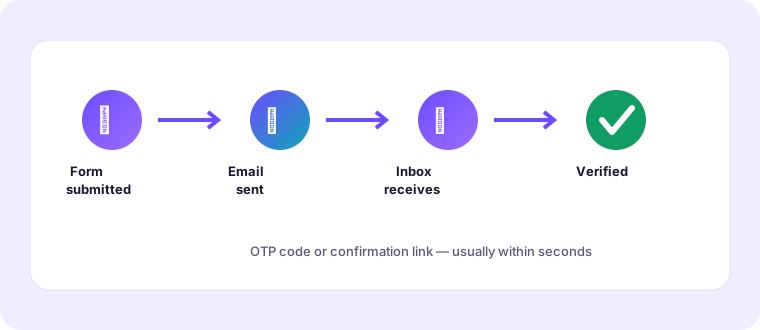
Receiving a one-time passcode on a temporary address works the same way as on any mailbox:
- Open Offex Mail and create an inbox, or type a custom name you will recognise.
- Copy the address shown at the top of the page.
- Paste it into the site that is asking for your email, then submit the form so the code is sent.
- Watch the inbox — it refreshes automatically and plays a chime when new mail arrives.
- Open the message and either copy the code back into the site or tap the confirmation link.
Most codes arrive within seconds. If one does not, ask the site to resend it, wait two full minutes, and double-check the address for a stray space. Some services refuse disposable domains outright, or require a phone number as well — in that case the temp address simply is not the right tool for that account.
Is temp mail safe to use?
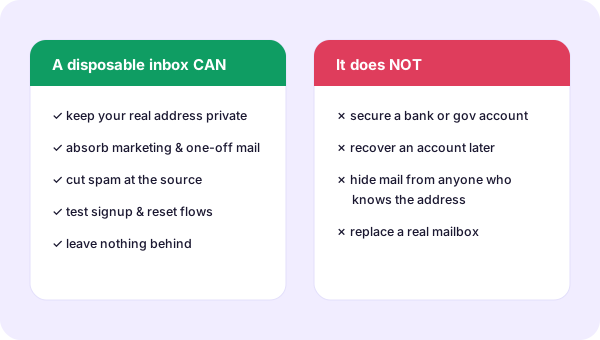
For its intended job — one-time signups, trials, downloads and testing — a disposable inbox is a sensible privacy tool, not a risky one. It keeps your real address out of marketing lists and data-broker databases, and it leaves nothing behind. Two limits are worth stating plainly. First, a temp inbox is public in the sense that anyone who knows the address can read what arrives there, so never let sensitive mail, receipts or reset links for important accounts go to one. Second, because the inbox expires you cannot use it to recover an account later. Treat it as a burner and it will behave exactly as you expect.
Temp mail vs. a second email account
People often ask whether a spare Gmail account is not simply better. It depends on the job.
- Setup: a temp address is ready in one click; a second account needs a phone number, a password and often a recovery email.
- Cleanup: a temp inbox deletes itself; a spare account lives forever and slowly fills with spam you then have to manage.
- Anonymity: a temp address asks for nothing about you; a second account is tied to your phone and device.
- Durability: a second account is recoverable and permanent — exactly what you want for anything you will keep.
The practical answer: use temp mail for anything you are only trying, and keep one permanent secondary address for the handful of services you actually keep using.
What Offex Mail does with your mail
Offex Mail is built to be boring about data. Messages live only inside the inbox you are looking at, and they are removed when that inbox expires. There is no account, so there is no profile to build; the address you use is not linked to your name, your device or your real email. We do not sell or share inbox contents, and we do not ask you for a phone number. The trade-off is the one described above: a disposable inbox is for short-lived mail, not for anything you will need to find again months from now.
Popular services you can verify with a temp mail
Disposable inboxes work for the signup step of most consumer apps and websites — social networks, streaming services, marketplaces, AI tools and developer platforms. We publish a short, human-written guide for each popular service, covering exactly what that site asks for during signup and the little gotchas that make a code go missing. Browse the full list on the services page, or start with a few favourites: Instagram, Discord, ChatGPT, GitHub and Spotify.
Guides and how-tos
For a deeper read, our guides explain the ideas behind disposable email:
Temp mail glossary
- Temp mail
- A free, short-lived email address used to receive mail without exposing your real inbox.
- Disposable inbox
- The mailbox behind a temp address; it is deleted automatically once it expires.
- Throwaway / burner address
- Informal names for the same idea — an address you intend to abandon.
- OTP
- One-time password: the short code many sites send to confirm a signup or login.
- Verification link
- A unique URL emailed to confirm that the address is real and reachable.
- Domain
- The part after the @ sign. Offex Mail runs on its own domain, mytemp-mail.online.
- Catch-all
- A mail-server rule that accepts messages for any address on the domain, which is what lets a temp service create addresses on demand.
- Expiry
- The point at which an inbox and its messages are removed.
More questions about temp mail
Will a website know I used a temp address?
Can I send email from a temp address?
How long should I wait for a verification code?
Can I choose my own temp email name?
Do I need to install anything?
Is there a limit on how many inboxes I can create?
Choose the right address for the job
Not every sign-up deserves the same inbox. Sorting them before you type anything is the whole skill.
Three addresses, three jobs
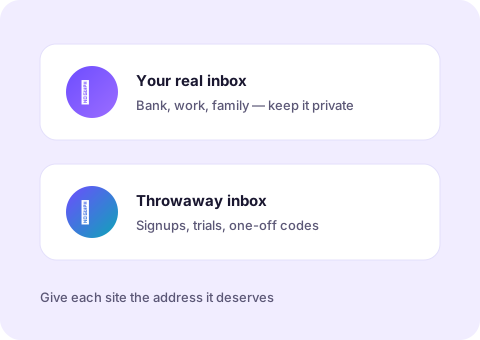
The simplest system that works is to keep exactly three kinds of address and give each one a clear role. Your primary address is for people, work and anything you must be able to recover — it is the one you guard and give to almost nobody. A permanent secondary address is for the services you genuinely keep, like a shop you order from regularly or a tool you pay for. Everything else — every trial, every gated download, every form you filled in because you wanted a file — goes to a disposable inbox that expires on its own.
The reason this beats improvising is that the decision is made once, in advance, instead of under pressure at a form. When a site asks for your email, you already know which of the three it gets, and you never have to weigh privacy against convenience in the moment.
A five-minute privacy routine
- Before you sign up, decide the tier. Sampling gets a temp inbox; keeping gets a permanent one.
- Never reuse a password. A disposable address does not make a weak password safe — let a password manager generate it.
- Act on verification mail immediately. Both the code and the inbox have their own clocks, so use the message while it is fresh.
- Upgrade deliberately. When a throwaway account becomes one you rely on, switch it to a permanent address while you still control both.
- Read before you click. A temp inbox shows you every message, including phishing — reach any site directly rather than through an unexpected link.

What a temp inbox will never do for you
It is just as important to be honest about the limits. A disposable inbox will not recover an account later, will not hold a receipt you might need, and will not stand in for a bank, a government service or anything tied to your identity. It will not filter phishing for you either, and it will not remember a password. Treat it as a front door you can throw away, and keep the things you care about on solid ground. Used that way, it is one of the simplest privacy tools there is — free, instant and gone the moment you are done.
New guides & how-tos
Five new in-depth walkthroughs that go deeper than the FAQ — written to be genuinely useful, not to pad a word count.
 How to use a temporary email for app signupsWhat sign-up forms really ask for, how to clear verification, and when a temp address is the wrong tool.
 Temporary email for testing and QARun signup, confirmation and password-reset flows over and over without creating real accounts.
 How to avoid spam after signing up somewhereSpam rarely starts with a hack — it starts with a sign-up. Here is how to stop it at the source.
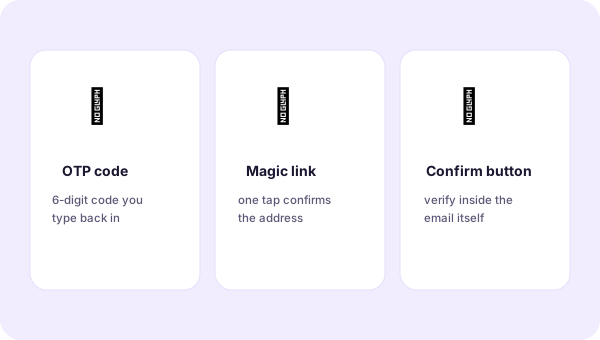 Understanding email verification flowsLinks, one-time codes and confirm buttons — and why a code sometimes never arrives.
 Privacy basics: what a disposable inbox can and cannot protectAn honest line between what a throwaway address guards and what it never could.
Temporary email is a small idea with a lot of depth once you start using it seriously. The quick questions are answered in the FAQ above; the guides below are for the moments when you want the whole picture — how a sign-up works end to end, why a verification code sometimes goes missing, and what a disposable inbox can and cannot protect.
Start with the job, not the tool
Most people arrive here because a site asked for an email address and they did not want to hand over the real one. That instinct is right, and it scales further than most people expect. The same disposable address that dodges a newsletter sign-up also keeps your primary inbox out of a data broker's database, lets a developer run one confirmation flow twenty times without twenty accounts, and gives a tester a clean mailbox for every case in a matrix. The tool is identical; only the job changes.
What separates a good temp-mail habit from a careless one
A careless habit is using a burner for everything, including the accounts you will need later — then discovering, too late, that the reset link went to an inbox that no longer exists. A good habit is deliberate: a throwaway address for anything you are only trying, a permanent secondary address for the services you keep, and your real inbox reserved for people and the things that genuinely matter. Two addresses, clearly divided, solve most of the problem before it starts.
That division is also what makes disposable email fast. A temp address needs no password, no phone number and no setup, so it is ready the moment you need it and gone the moment you do not. Verification mail usually lands within seconds; if it does not, the cause is almost always a mistyped address, a sender-side queue, or a site that refuses throwaway domains — all three of which the guides below explain and, more usefully, show you how to work around.
How to read these guides
Each guide is written in plain language and assumes you want the reasoning, not just a list of steps. If you only read one, start with the privacy basics guide: it draws the line that makes every other decision easier — which sign-ups deserve your real address, and which are better served by something you can throw away. From there, the app-signups and verification guides cover the everyday flow, the testing guide is aimed at developers, and the spam guide is the one to read if your primary inbox is already noisy.