Almost every app you install opens with the same small wall: a sign-up form that wants an email address before it will let you in. You are not planning to become a loyal user yet. You want to look around, and you would rather not trade your permanent address for the privilege. That is exactly the job a temporary email was built for.
This guide walks through the whole flow — from picking an address to clearing the verification step — and is honest about the handful of cases where a throwaway inbox is the wrong tool.
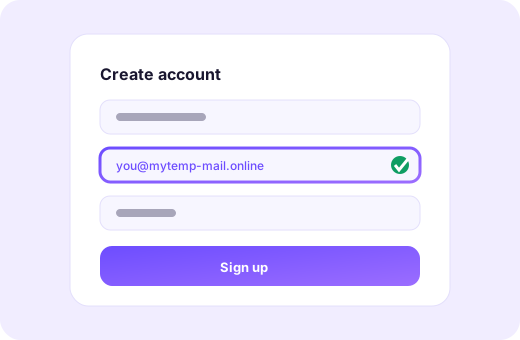
Why app sign-ups are the classic temp-mail job
An app sign-up is a one-time exchange: the developer wants a way to reach you, and you want in. If you hand over your primary address, you have signed up for an indefinite relationship — onboarding sequences, re-engagement nudges, and eventually a data-broker list or two. A disposable address turns that indefinite relationship into a short one. You get the code, you get in, and the address evaporates on its own schedule.
The maths is simple: the more apps you try, the more places hold your address. A temp inbox lets you try ten apps and leave ten no trace.
What most sign-up forms actually ask for
Strip away the branding and nearly every sign-up asks for the same three things:
- An identifier — usually an email address, sometimes a phone number as well.
- Proof the identifier is real — a verification code or a confirmation link sent to that address.
- A password — which you should generate fresh and store in a password manager, never reuse.
The email step is the only one a temp inbox changes. Everything else works exactly as it normally would.
Step by step
The whole process takes about a minute once you have done it once:
- Open the tool and create an inbox. You get an address instantly, on a real deliverable domain.
- Copy the address. Use the copy button rather than retyping it — a single wrong character is the most common reason a code never arrives.
- Paste it into the app's sign-up form and submit, exactly as you would with your own email.
- Watch the inbox. It refreshes on its own and plays a chime the moment mail lands.
- Clear the verification. Type the code back into the app, or tap the confirmation link.
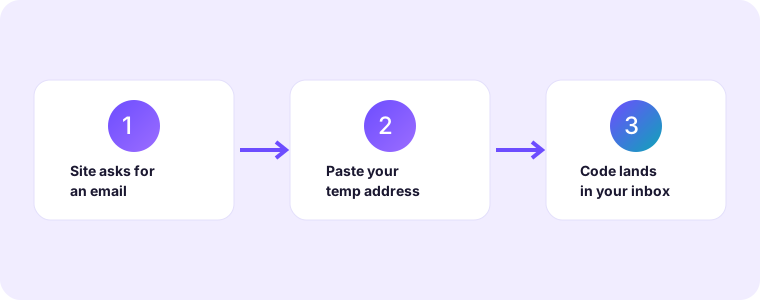
Clearing the "verify your email" step
Verification is the only step that can trip people up, and it is worth understanding why. The app sends a message to the address you gave it; that message contains either a short numeric code or a unique link. A temporary inbox receives both exactly like any other mailbox, so the step is usually invisible — the code simply appears and you type it in.
If nothing shows up within a minute or two, check three things in order: that the address on screen matches the one you typed, that you did not leave a stray space when pasting, and that the app has not silently required a phone number instead. Once those are ruled out, ask the app to resend. Senders occasionally queue their mail, so a code that looked lost can still arrive a minute later.
When an app refuses a disposable domain
A minority of services maintain a block-list of well-known throwaway domains and reject sign-ups from them. This is their right, and it is usually a signal that the account is meant to be permanent. When you meet a refusal, you have three reasonable options:
- Use your real address if you genuinely intend to keep the account — which, for anything holding data or payment details, you should.
- Try a different disposable domain if one is available; not every service blocks every domain.
- Walk away. If an app insists on your primary address for a feature you were merely curious about, that is useful information about how it will treat your data.
When not to use a temp address for an app
A disposable inbox is a burner, and burners are for things you intend to abandon. Do not use one for an account you will need to recover, for anything tied to money, or for a service you will turn into a long-term subscription. If you lose the password to such an account, the recovery email goes to an inbox that no longer exists. Use a permanent secondary address for the apps you keep, and keep temp mail for the ones you are only auditioning.
A quick checklist before you sign up
- Is this an app I am only trying, or one I will keep? Trying → temp address.
- Does it hold money, identity or data I care about? Yes → real address.
- Is my password unique and stored in a manager? Always.
- Did I copy the address rather than retype it? Copy — every time.
Follow those four questions and the temp-mail sign-up becomes second nature: fast when you want it, and never used where it could hurt you.
A word on phone numbers
Some apps verify a phone number as well as an email address, and a few skip email entirely. A temp inbox cannot help with a number, and it is worth being clear about why: a phone number is tied to you as a person in a way a throwaway address is not. If an app insists on one, you are being asked for a permanent identifier, and the honest answer is that the app has decided it wants a lasting relationship. In that case, either accept the relationship or skip the app — but do not hand over your number expecting the same disposability a temp inbox gives you.