People often picture spam as something that arrives out of nowhere, the work of faceless bots. In reality, most of it can be traced to a decision you made on purpose: you gave a website your email address. The sign-up form is the front door, and understanding how your address travels after you submit it is the key to keeping your inbox quiet.
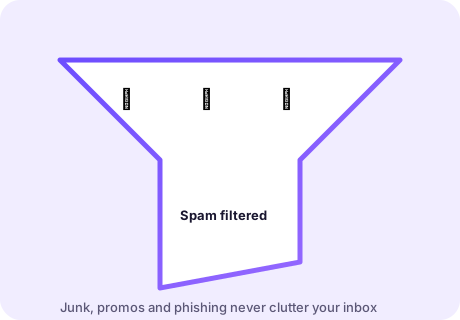
Spam does not start with a breach — it starts with a sign-up
When you type your address into a form, you rarely give it to one company. You give it to a system: a marketing platform, a newsletter tool, an analytics pipeline and possibly a data partner. Many of those are legitimate and many are careless. A single sign-up can put your address into half a dozen databases, and each of them is one configuration mistake or one sale away from a flood of unwanted mail.
The uncomfortable corollary is that once your primary address is on a list, you cannot fully get it off. You can reduce the noise, but the address has escaped. The only reliable fix is to control what you hand out in the first place.
How your address actually spreads
- Newsletter platforms that host many senders — a leak in one tenant can expose others.
- Data brokers that aggregate and resell contact lists.
- Compromised sites whose user tables end up on the open web.
- Careless partners who "share with trusted third parties", which is often you being handed around.
None of these require you to have done anything wrong. They require only that your address was somewhere it could be collected.
The five habits that keep an inbox clean
- Default to disposable. If you are not sure a site deserves your real address, it does not. Use a temp inbox first and upgrade only if the relationship proves worth it.
- Separate your identities. Keep one address for people and important accounts, and use a second for shopping and services. Never mix the two.
- Never reuse passwords. A throwaway address does not make a weak password safe. Use a password manager and let it generate everything.
- Unsubscribe honestly. For legitimate senders, the unsubscribe link works. For obvious junk, do not engage — just mark it as spam so your provider learns.
- Watch for breach alerts. If a service you used a temp address for is breached, nothing that matters is exposed. That is the whole point.
Using disposable addresses as a shield
Think of a temp address as a disposable raincoat for the sign-up step. You wear it into the one place that would otherwise soak your real address, then you throw it away. The site still gets a working address — it can send you the confirmation, the receipt or the trial reminder — but the moment the inbox expires, that thread is cut. If the site sells its list, the buyer gets a dead address.
This is why a disposable inbox beats a "spare" Gmail for casual sign-ups. A spare account is permanent and collectable; a temp address is neither.
Cleaning up spam you already have
If your primary inbox is already noisy, you can still improve things:
- Filter aggressively. Rules that route anything with "unsubscribe" plus a promo keyword into a folder cut most of the visual noise.
- Report, don't reply. Replying to spam confirms your address is live and invites more.
- Use aliases for the future. Many providers let you create per-site aliases; start using them for every new sign-up.
- Retire the noisy address gradually. Move your important accounts to a clean address and let the old one fade.
When spam means something worse
Not all unwanted mail is harmless marketing. Treat unexpected "verify your account", "your payment failed" or "unusual sign-in" messages with suspicion, especially if they arrive shortly after you signed up somewhere new. Those are the shapes phishing takes, and a temp inbox shows them to you too — so apply the same rule there as anywhere: never click a login link in an unexpected email; go to the site yourself.
Spam is annoying. Handled with the habits above, it is also mostly avoidable — and the single most effective habit is refusing to hand your real address to sites you have not decided to trust.
How much spam is normal?
It helps to calibrate. A handful of promotional mails a week from senders you recognise is ordinary and usually means you opted in somewhere along the way. A sudden spike of dozens of near-identical messages, mail addressed to a name that is not yours, or a run of "unclaimed package" and "final notice" subjects is not normal — it usually means your address surfaced on a list. The response differs: for the first, unsubscribe or filter; for the second, stop engaging entirely, report it as spam, and consider retiring the address for anything important.