"Verify your email" is a sentence most of us tap past without a thought. But the machinery behind it is worth understanding, because it explains almost every oddity you meet during a sign-up: why a link expires, why a code never arrives, and why the same service treats two addresses differently.
Why sites verify at all
An email address is only useful to a service if it reaches a real person. Without a check, anyone could sign up with someone-else@ and the service would have no way to reach the actual account holder, send a receipt, or allow a password reset. Verification proves two things at once: that the address exists, and that the person signing up can read mail sent to it. Everything else — welcome sequences, notifications, recovery — depends on that proof.
The four common patterns
Almost every service uses one of four mechanisms:
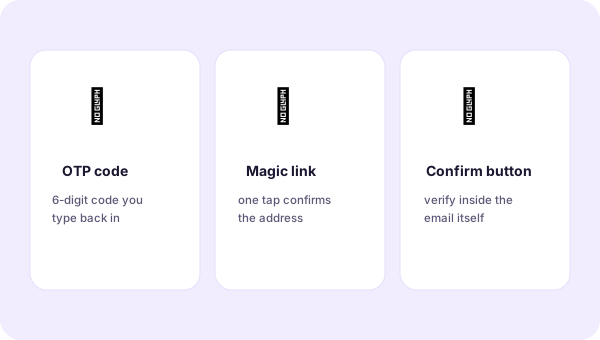
- The confirmation link. The email contains a unique URL; visiting it marks the address as verified. Simple, but vulnerable to link-scanners that open URLs before the user does.
- The one-time code (OTP). A short numeric code the user types back into the site. Robust, and it works even when the link would be inconvenient.
- The confirm button. The email contains a form that posts back to the service when clicked. Less common, but tidy.
- Reply-to-confirm. The user replies to the email. Rare now, but still used by some mailing lists.
What happens behind the scenes
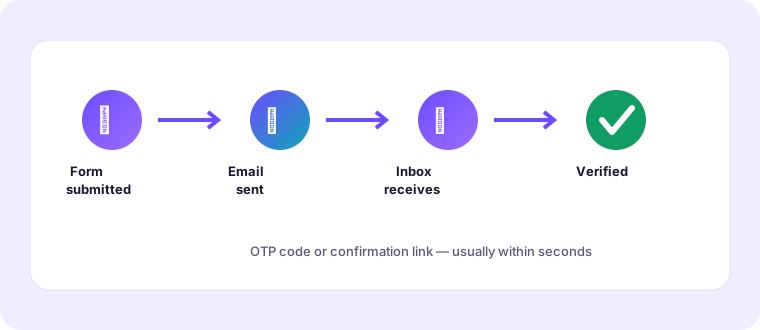
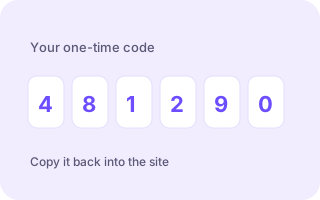
When you submit a form, the service records your address and generates a token — a long, unguessable string — then emails it to you as part of a link or code. The token is stored server-side with an expiry and a "used" flag. When you present it, the server checks that it matches, has not expired and has not already been consumed, and only then flips your account to verified.
That design explains the behaviour you see. A link that "only works once" is the used-flag doing its job. A code that expires after ten minutes is the timestamp doing its job. And a link that fails the moment you click it, even though you never opened the email, is usually a security scanner at your mail provider or a corporate gateway consuming the token first.
Double opt-in versus single opt-in
You will sometimes see the phrase "double opt-in". That describes a marketing list where the first opt-in (filling the form) is followed by a second, explicit confirmation by email. It is verification applied to consent rather than to identity. It is why a newsletter you signed up for sometimes waits for you to click a link before it starts arriving — and why, if you never click it, you never hear from the sender again.
Why a code sometimes never arrives
When verification mail goes missing, it is almost always one of a few causes:
- A typo in the address — the single most common reason by a wide margin.
- A sender-side queue — a busy service batches its outgoing mail and sends a minute or two late.
- Filtering — the message looks automated and is held or binned.
- A blocked domain — some services refuse known disposable domains outright.
Working through that list in order resolves nearly every case. Check the address, wait two minutes, request a resend, and only then consider that the service may not accept your chosen domain.
A note on security
Verification is about reachability, not secrecy. The fact that a service verified your address says nothing about how well it protects it. Treat verification as the start of a relationship, not a guarantee of good behaviour, and keep using the habits that protect you: unique passwords, a password manager, and a disposable address for anything you are only trying.
Once you can see verification as four beats — generate a token, send it, present it, mark it used — the whole ritual stops feeling arbitrary and starts being something you can reason about.
If you run a sign-up flow yourself
The same four beats that explain a user's experience are the checklist for building one. Generate tokens that are long and random, give them a short expiry, mark them single-use, and tell the user plainly when a link will stop working. Send a fresh code on request rather than reusing an old one, and make the resend button obvious. Finally, test the unhappy paths — expired token, reused token, wrong code — because those are the states real users hit most often and the ones most easily left broken.