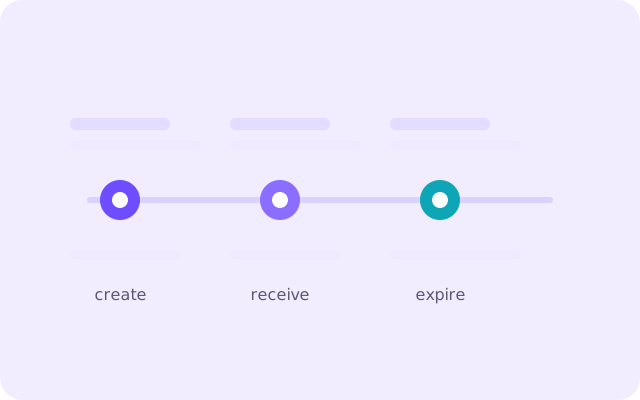
Few things are more annoying than a code that dies in the seconds between arriving and being typed. It feels arbitrary, but code expiry is a deliberate design choice, and understanding the timers involved turns a frustrating race into a predictable one.
What “expiry” actually means
A verification code is a short-lived secret. The moment a site generates it, it stores that value next to your pending request, along with a deadline. When the deadline passes, the stored value is discarded and the code becomes worthless — not because anything went wrong, but because the server decided the window had closed. The same code will simply be rejected on the next attempt.
That deadline exists because a code is a stand-in for proof of identity. The longer it lives, the longer an attacker who glimpses it has to use it. A tight window keeps the proof fresh.
Why sites expire codes so quickly
- To shrink the attack window. A code visible on a shoulder-surfed screen or left in a shared inbox is only useful for a few minutes.
- To bound the server’s work. Pending verifications are kept in memory or a short-lived store; expiry clears them automatically.
- To encourage a fresh request. A new code means a fresh email, which re-confirms the address is genuinely reachable.
- To follow the pattern set by banks. One-time passwords have always been short-lived, and most services copy that expectation.
The three clocks you are racing
When a code “expires”, one of three separate timers has usually run out, and they are not the same length.
- The code timer (often five to fifteen minutes) is the site’s own deadline for the value it emailed.
- The delivery delay is the time the message spends in queues between the sender and your inbox. A busy sender can add a minute or two before you ever see the mail.
- Your inbox timer is how long your temporary address stays alive. If the inbox disappears, the code is gone regardless of its own deadline.
Most “expired code” complaints are really delivery-delay problems: the mail arrived late, so by the time it was read only a sliver of the code’s window remained.
When the clock beats you: a recovery routine
If a code is rejected as expired, do not keep retrying the same one. Instead:
- Request a brand-new code from the site — a fresh value gets a fresh deadline.
- Watch the inbox as it arrives rather than switching tabs; the first seconds matter.
- Copy the code rather than reading it across, so no digit is mistyped.
- Paste it straight into the field and submit before doing anything else.
- If codes keep arriving late, the sender’s queue is the problem; waiting a minute before requesting again often helps.
How a temp inbox changes the maths
A disposable inbox removes one of the three clocks from the equation by keeping the address live and open while you wait. Because the page refreshes itself, you see the message the instant it lands, which leaves the entire code window for you to use. The trade-off is the inbox’s own expiry: work within it and the code timer is the only deadline that matters.
Making expiry a non-issue
The practical habit is simple: treat a verification email as something to act on immediately, not to save for later. Open it, take the code, use it, and only then go back to what you were doing. If you are testing a flow repeatedly, generate a new address for each pass so every code has a clean, full window. Expiry stops being a nuisance the moment you stop treating a live code as something you can leave sitting.
One exception worth knowing
Not every “expired” message is telling the truth about the code. Occasionally a service will reject a perfectly valid code because the address it was sent to does not match the one on the account, or because the request itself timed out on the server side. If a fresh code also fails, the problem is usually the request, not the timer: restart the flow from the beginning so the site generates a new pending verification. When even that fails, the address itself is the likely culprit — some services quietly refuse disposable domains, and no amount of retrying will change that.
Frequently asked questions
How long do verification codes usually last?
Most services set a window of five to fifteen minutes, though some use as little as two. The exact figure is set by the site, not by your email provider.
Why did my code expire almost instantly?
Almost always because it arrived late. The message spent time in the sender's queue, so only a few seconds of the code's own window remained when it reached you.
Can I reuse an old verification code?
No. Once a code passes its deadline the server has discarded it, and the same value will be rejected. Request a new one instead.
Do temporary inboxes expire too?
Yes. Each Offex Mail inbox stays active for a limited period, so the safest approach is to use the code as soon as it arrives rather than saving the mail for later.